Instant Messaging (IM)
DASSET IM is a fully private messaging application that runs and stores data on your DASSET device. It provides text chat capabilities, as well as real-time translation of multiple languages, and provides voice and video call capabilities as well. Additionally, private groups can be created enabling the ability to easily share files with the group as well a create shared task lists complete with priorities and due dates.
The DASSET IM feature supports the following operations:
- Quote: Reply to a specific message by quoting it.
- Copy: Copy the content of a message.
- Delete: The sender can delete a message. Once deleted, it is also removed from the recipient's chat history.
- Preview media: View pc-images, play videos, and listen to audio files shared in the chat.
- Document preview and editing: Open and edit documents directly from the chat.
- Save files: Save received chat files to your local device.
- Send files: Share files stored on the DASSET device into the chat.
- Message status: Check whether a sent message is marked as Read or Delivered.
- AI Agent support: Use AI-powered features such as translation, summarization, reply suggestions, and speech-to-text recognition.
Selecting a Chat Server
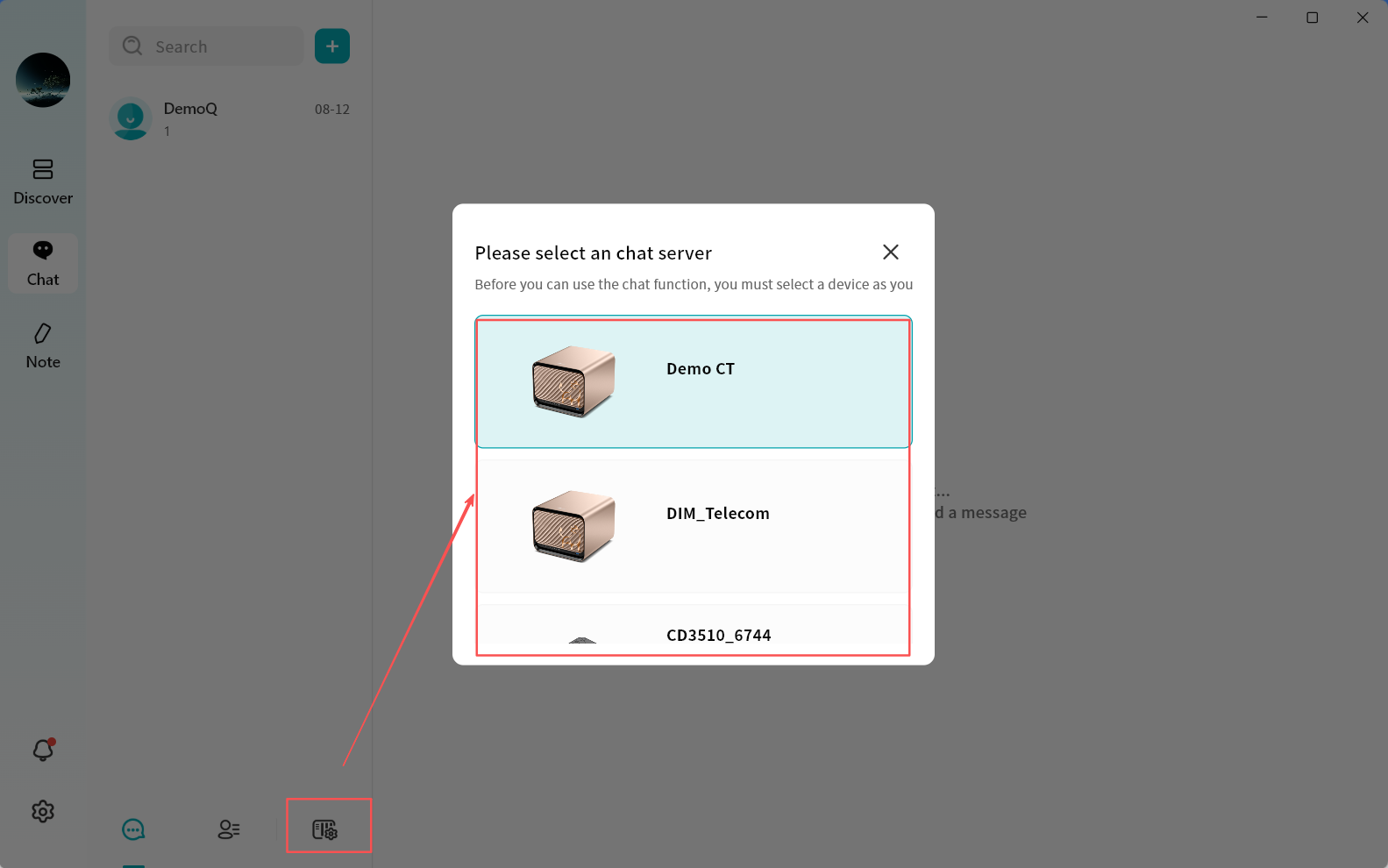
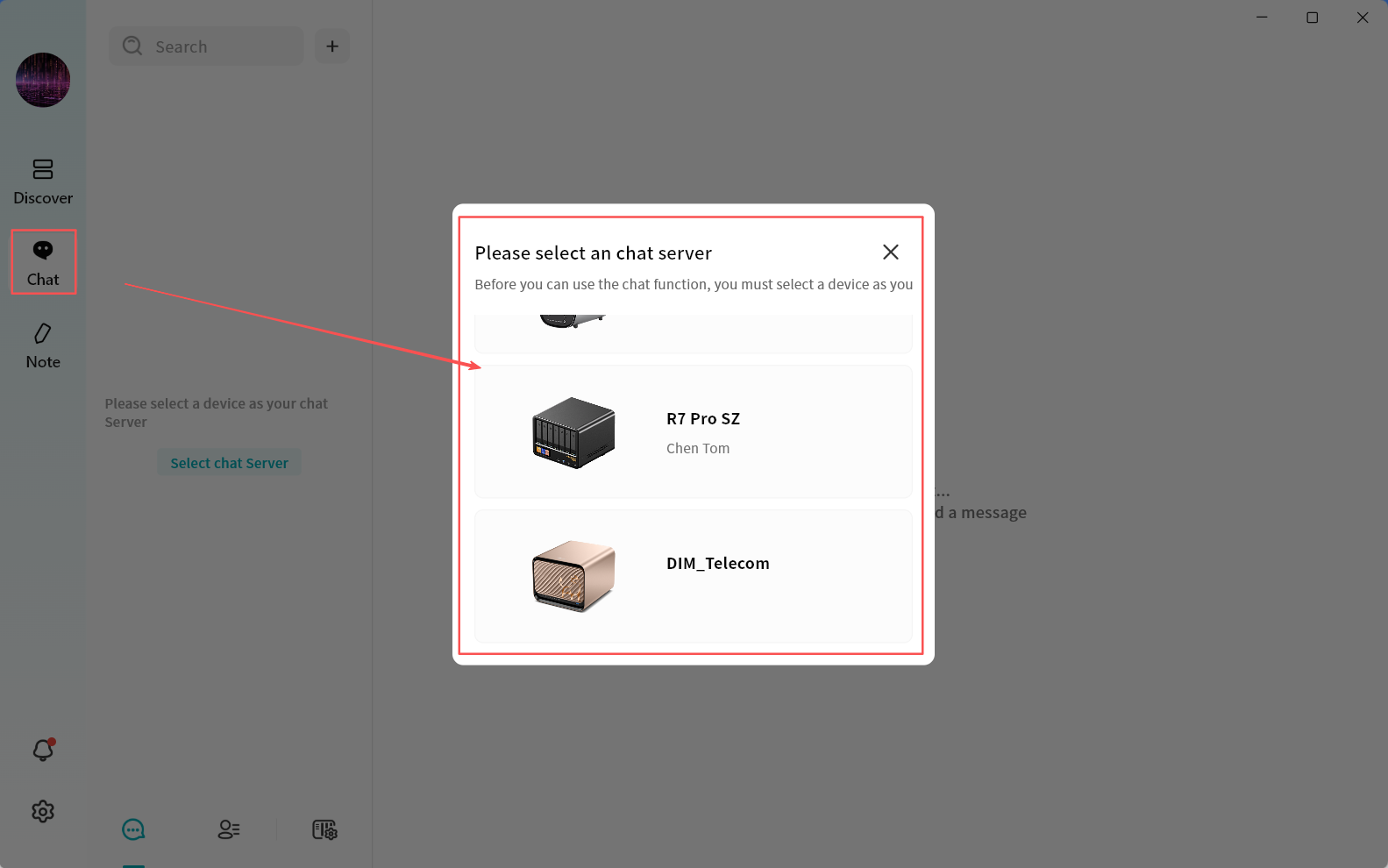
When using DASSET IM for the first time, you must select a DASSET device to act as your chat server. Once selected, you can freely chat with all users connected to that device, and all chat history will be stored on the same server. Each chat server runs on a single DASSET device. All users bound to that device can communicate with each other through the server.
- Note 1: To protect user privacy, DASSET does not automatically create chat server accounts for all users bound to a device. If users on the same device want to chat with each other, they must first select the same chat server.
- Note 2: Each chat server is independent. Think of it as having a private WhatsApp server hosted in your home or office. Only users connected to the same server can communicate. DASSET users on different servers cannot chat with each other.
- Note 3: Cross-server instant messaging is not supported. Accounts connected to different chat servers cannot communicate across devices.
When you first enter the chat interface, DASSET displays all the DASSET devices bound to your account and prompts you to select one as your chat server. If a device does not support the chat application, you will see a red message stating This device does not support chat services. This usually occurs because the device firmware has not been updated to the latest version or the hardware is not capable of running chat services. A single account can bind to multiple chat servers, but you can only be connected to one chat server at a time. Chatting is limited to users on that active server.
You may switch servers at any time to view messages from users on other chat servers.