My Vault
The My Vault is a secure area within the DASSET device. All files stored in My Vault are protected with strong encryption to ensure security. Without entering the correct password, My Vault cannot be accessed from the DASSET client.
Creating a Vault
When using My Vault for the first time, follow the setup guide to create a password and a security question.
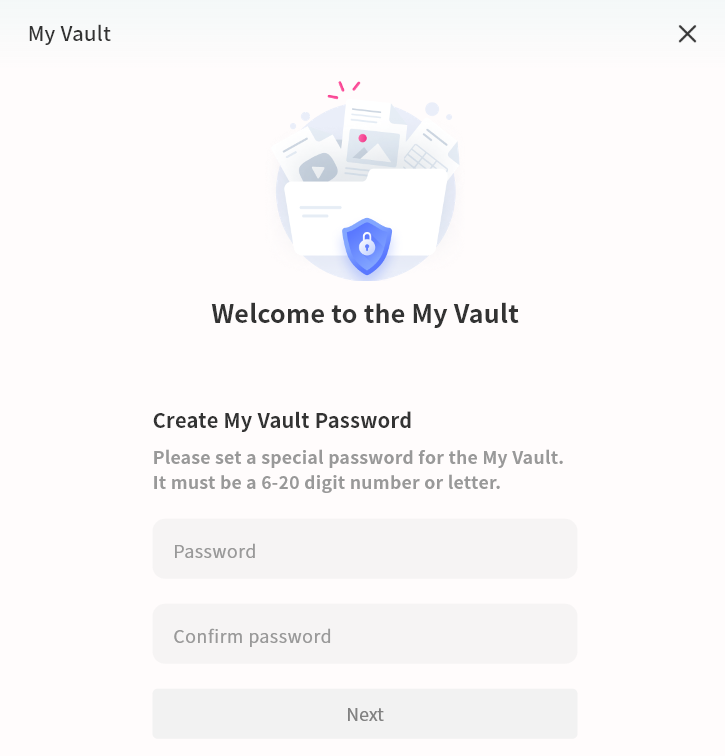
- Create a My Vault password
The password must contain 6--20 characters, consisting of numbers or letters.
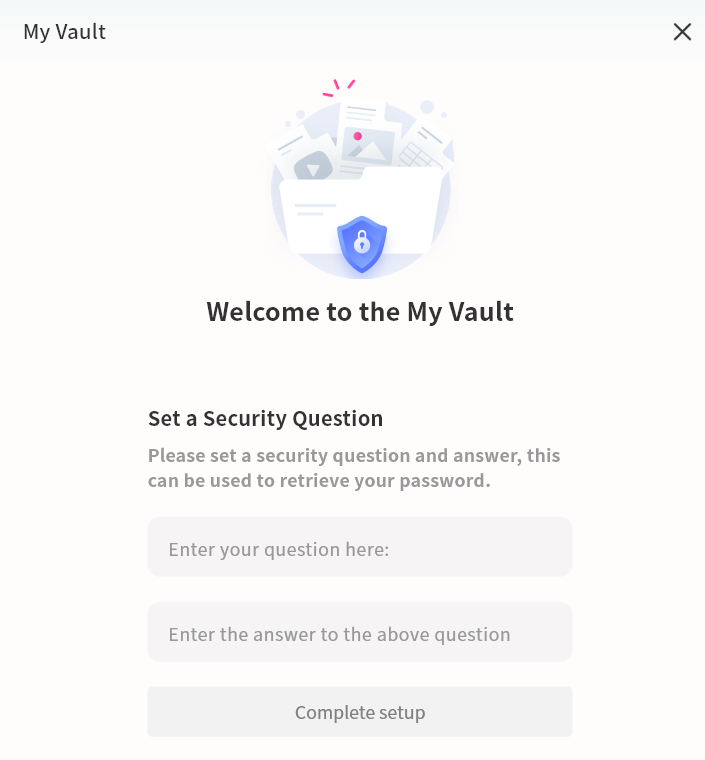
- Set a security question
Create a security question to help recover your My Vault password if needed.
My Vault Operations
Within My Vault, you can manage files in the same way as in other areas of DASSET.
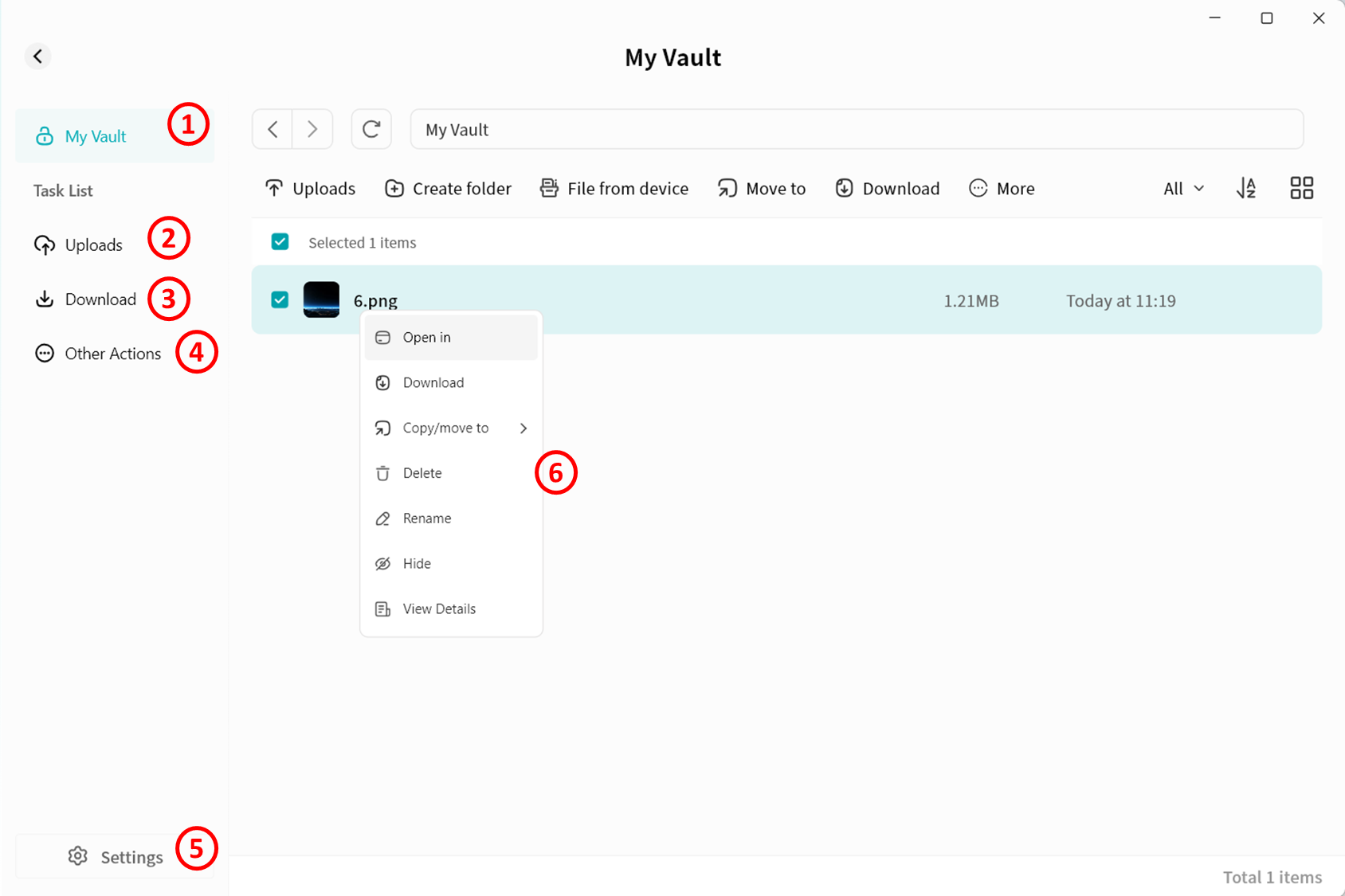
- My Vault: Opens My Vault file management interface.
- Task list -- Upload: Displays the progress and history of files being uploaded from the computer to My Vault.
- Task list -- Download: Displays the progress and history of files being downloaded from My Vault to the computer.
- Task list -- Other operations: Displays the progress and history of actions such as moving or copying files within My Vault.
- Settings: Manage My Vault password and related information.
- File operations:
- Files can be uploaded directly from the computer to the "My Vault", or downloaded from My Vault to the computer.
- Files from any DASSET space can be copied or moved into the "My Vault".
- Files in My Vault can be moved or copied to other spaces such as My Space.
Files deleted from My Vault are permanently erased and will not go to the recycle bin. Exercise caution when deleting.
My Vault Settings
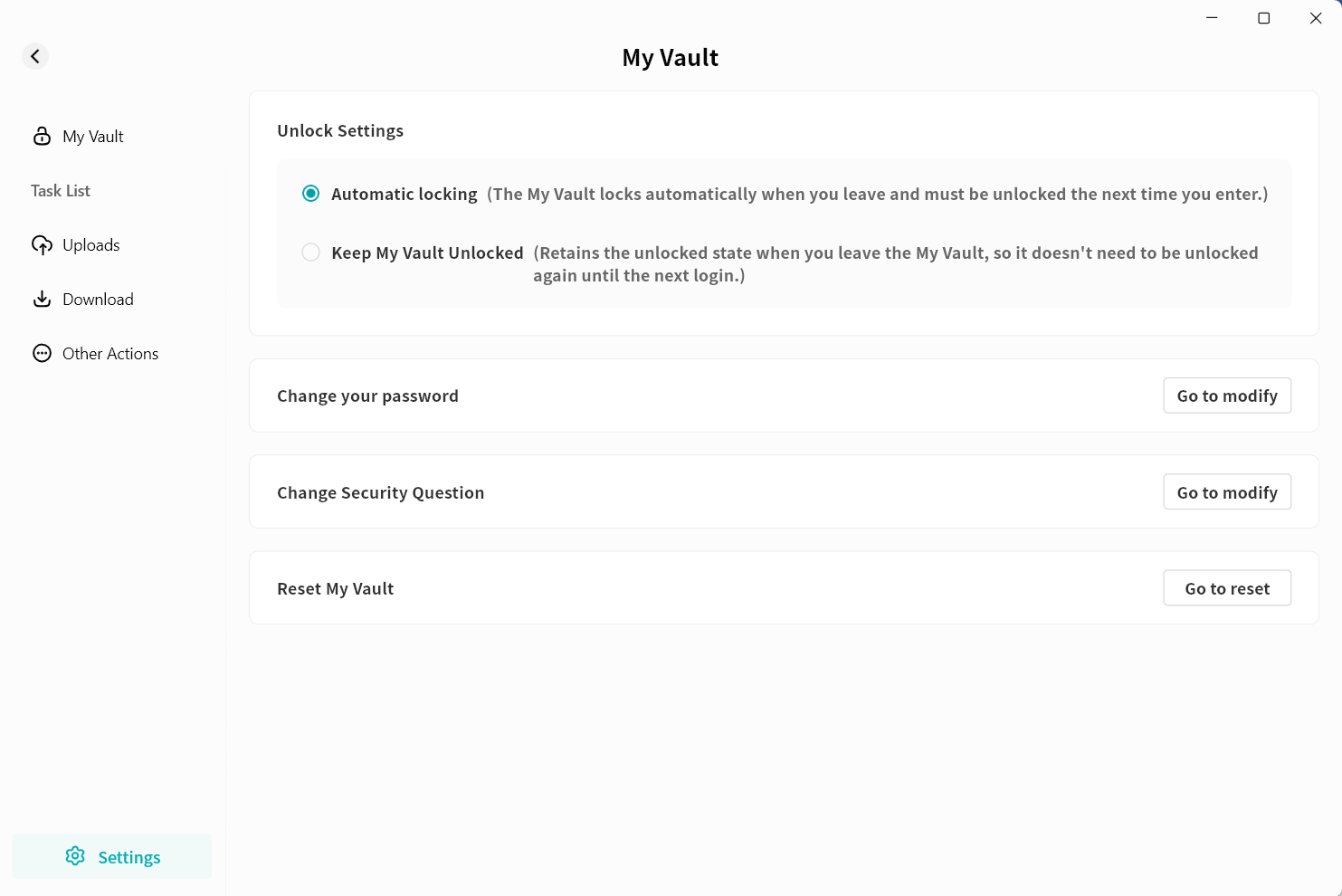
On My Vault settings page, you can configure:
- Unlock Settings: Define different ways to access My Vault.
- Change your password
- Change security questions
- Reset My Vault. Resetting requires verifying your DASSET account password.
danger
Resetting My Vault will permanently delete all data contained in the vault.
My Vault Password Recovery
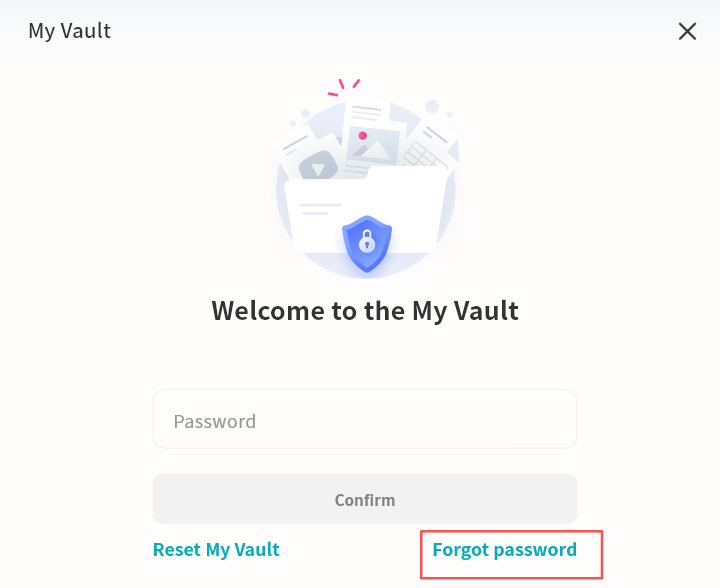
If you forget your My Vault password, use the Forgot Password option on My Vault login page to reset it. Enter the correct answer to the security question in the pop-up menu, then set a new password for My Vault. This operation will not affect the data stored inside.
The My Vault password is stored on the DASSET device. If you forget both the password and the security question, the data inside the My Vault will be permanently inaccessible. Be sure to keep your "My Vault" credentials safe.